My Favourite Controller...
July 30, 2026...and why it's the Duke.
Yes, you read that right. My favourite video game controller is the Duke. The title's not click bait or scam bait rage bait or fish bait or any kind of bait for that matter. It's a fact. And that's coming from someone who NEVER grew up with an original Xbox as even though i'm heavily nostalgic for all of the 7th gen consoles to some extent the only 6th gen home console that i've ever had fond memories of is the PS2.
The Duke is one of the most underappreciated video game controllers ever made and i made this web post to not only speak in defence for the controller but also to bring up a couple of things the controller does right that no other controller in the world has ever attempted before. Hell, as i'm writing this, i'm thinking about things to put down later on in this write up that i'm HOPING i don't forget as i write everything down. So, let's talk about how the hell we even got to the point where i contracted "Duke Hands".
Let's start with the main complaint that people have towards the Duke, which should be obvious just by looking at the name. It's huge. To get into specifics, the controller comes in at 139 millimeters tall, which is taller than a Wii U Gamepad, 68 millimeters thick, which edges out the GameCube controller and a monstrous 177 millimeters wide which comfortably beats even the N64 controller. Y'know, the controller so wide that it needed THREE GRIPS? There is actually a reason why it was this big, though.
For a bit of history, Microsoft wanted to make the Original Xbox controller combine everything they loved about all of the mainstream video game controllers that existed on the market. However, when they sent the prototype to Mitsumi they also realised that they made a critical error when designing the board. You see, The PlayStation 2 controller made the decision to cut the controller's PCB board in two to decrease the size of the pad due to all of the functions that were crammed into the shell, and Microsoft only made a singular board expecting that the size would be roughly the same despite the FAR larger scope of their controller. To Microsoft's surprise when the PCB board game back to them, it was gigantic. After they found out that the PS2 controller split it's PCB board, they asked Mitsumi if they could do the same for their controller to cut down on the size. This request was declined by Mitsumi due to their closer ties with Sony and the controller that came out of it was an attempt at damage control for the huge PCB board.
(I found this out from the video that kitty of chaos made on the Duke, and you can watch that here.)
So how does a video game controller made as damage control for a PCB mishap find it's way into being my favourite controller of all time? There's a couple of reasons, and surprisingly not all of it has to do with the controller's size, but we'll get into what the size contributes to first considering that we've been talking about it for a good 3 paragraphs already, and that leads us straight into my first major compliment for the controller. The grips. One of the most unique things about the Duke is the size of the grips, as unlike the PS2 controller or the GameCube controller the grips for the Duke focus far more on girth than they do on width. The size they went with for the grips is a work of genius not only because it makes your grasp on the controller naturally feel more all-encompassing, but it also makes it so that your thumbs will naturally be resting on the left stick for your left hand and the gap between the coloured buttons for your right hand. For most controllers i find myself needing to constantly shift where my thumbs are so that they can align with where the most important buttons for those particular fingers are but with the Duke i don't have to think about it because the buttons are positioned exactly where your thumb's natural resting place would be. I know this is probably dependant on the size of your hands, but for my hands it fits like a glove.
This neatly transitions us into another thing i love about the Duke, the button layout. Pretty much every 4 button controller since the original DualShock (outside of the GameCube controller) have their face buttons shaped and aligned to almost perfectly mirror one another. You could rotate the face buttons for, say, the Switch Pro controller or any or the DualSense and the positing of the buttons would still be the exact same. The Duke doesn't play by those rules, however. Outside of simple fact of it being a 6 button controller, all of it's face buttons are not only stretched to make an oval shape but they're also tilted to the left on top of moving the buttons to fit neatly under where your thumb would naturally be resting, which is where that point of the grips shifting the natural spot your hands would be really comes into play. I hardly even have to move my thumb to hit a button on the Duke. Infact, i can hit the face buttons on it so quick that it makes all the other controllers i use feel a bit clunky in comparison because of how many jumps my thumb has to do. And that's not even considering the fact that they also made the Duke a 6 button controller by adding a black and white button over the coloured face buttons. This mainly sees use in fighting games, as most modern controllers can seriously struggle when playing a 6 button fighter, as you have to attach two of the buttons to the triggers, and that just feels off. With the Duke you don't have to worry about using two types of buttons for games that were designed to only use one. Although, it would have been nicer if the white button was moved just a little further down. I can hit it just fine, but it's a little higher than i would've liked.
Now that i've mentioned the triggers, i think it's about time i mention what the Duke controller does better than any other controller i've ever used, which is it's shoulder buttons. Let me ask you a question, what do the Switch / Switch 2 Pro Controller, the Wii U pro controller, the Google Stadia controller, every single PlayStation controller and every single Xbox controller from the 360 onwards have in common? There are a lot of answers to this question, but for the point i'm making, the answer is that their shoulder buttons are situated on the very top of the controller. Even though this layout does "work" there's a huge problem that probably doesn't even register as a problem if you exclusively use these controllers, and that's the positioning of your index fingers. Think about it like this, if you use all of your fingers to grip onto the controller and exclusively use your thumbs to hit the buttons then your index fingers are probably going to be situated behind where the triggers are in a really uncomfortable way, and this ends up forcing you to lift up your index fingers to align with the triggers. In other words, you're either making the face buttons more comfortable to press at the cost of not having instant access to the shoulder buttons OR you're hovering your index finger over the shoulder buttons while having less grip over the controller by having your index finger anticipate a button that it's not even in the process of pressing. Try doing the same thing with the Duke and you'll very quickly realise that the shoulder buttons aren't situated on the top of the controller and are instead baked into the backs of the grips in a similar vein to the Dreamcast controller. Not only that, but the shoulder buttons are put at a height where they're essentially flush with the face buttons when the trigger is pressed. In my opinion, this is the PERFECT spot for a pair of shoulder buttons to be placed, and i've only ever seen it done on five controllers before, those being the 3D Saturn Controller, the Dreamcast controller, the Wii U Gamepad and both of the original Xbox controllers with the Duke and the Duchess.
So, if this style of shoulder button is superior to the traditional shoulder buttons, why don't we see it on more controllers? Well, the Duchess tried to do the same thing and it didn't work out as well not only due to it's more traditional grips and how they didn't make the buttons go down nearly as far as the Duke did, but also because of the size of the controller. If they tried to make the triggers go down any lower than they did then that would make the shoulder buttons near impossible to reach. And you may have noted how all the other examples i gave are controllers that are pretty bulky on their own. The 3D Saturn controller's pretty huge, The Dreamcast controller is so tall that they could get away with putting the shoulder buttons on the back and i don't think i have to go into detail about the Wii U Gamepad. That pretty clearly tells us that you can only get away with making shoulder buttons like this if the size of the controllers and the shape of the grips let your index finger neatly rest above it, and only THEN do you get the benefits of back triggers. I can't name a single traditional controller outside of the Xbox controller that properly pulls this off. (Depending on the day i MIGHT say Dreamcast controller, but even then that can't really be used for many games because of the lack of a right stick.)
Now, despite all of the praises i give the Duke, it does have some gross parts. For one, it only has one pair of shoulder buttons. This isn't that big of a deal though, as if a game requires additional shoulder buttons then a game can just assign those buttons to the black and white buttons to solve the problem. It's not even that uncomfortable of a shift when it's implemented as most games don't really do that much with the L1 and R1 buttons as it's generally more comfortable to put important actions on the usually bigger L2 and R2 buttons. Hell, if a game doesn't even need additional shoulder buttons you practically have two more face buttons to work with. I'm getting ahead of myself by mentioning that though, but remember that i mentioned the lack of a second pair of shoulder buttons, as i am going to be mentioning it later.
There are a few more problems with the Duke though. For one, the D-Pad is awful. It feels okay to press, but instead of going with a traditional D-Pad, Microsoft instead decided to put a soap dish on the bottom left of the controller. This makes it so that you have next to no feedback with what direction you're pressing outside of dips in the circle that are so subtle they might as well not even be there. On top of that, for some demented reason the concave area on the right stick is smaller than the concave area on the left stick. This doesn't make the sticks feel worse to use (and during gameplay i don't notice it that much) but it's still an extremely odd choice.
And lastly, the biggest issue i have with the Duke is how it's a pain in the ass to get working on a modern PC. For one, due to the proprietary connector it has, you NEED an adaptor to get it working. That's not an immediate deal breaker (Hell, you need to do that for most controllers.) but the biggest problem with the Duke on PC (and also the Duchess) is that the black and white buttons don't get recognised by whatever device you have the controller plugged into. Not even Steam Input recognises that you're pressing them. This only becomes worse when you realise that you don't have a second pair of shoulder buttons. If you can't get those buttons working then you need to find a way to remap the controls that require it to something else. For me, i usually find that mapping the R1 and L1 buttons to clicking down the sticks. This is a really annoying issue that could've just been fixed with a little more hindsight on Microsoft's part.
...however, if you REALLY want to get the Duke working on PC and you don't have the technical knowhow to get the black and white buttons up and running, you do still have another option. In 2017, the creator of the Original Xbox (Seamus Blackley) would find an old Duke laying in his storage and decided to experiment with it by fitting an LCD screen into the controller that fit under where the Xbox emblem would be. After making some posts online about it, he would be approached by Hyperkin, who were inspired by Blackley's experiment thinking it would be the perfect way to reboot the Duke controller. Blackley loved the idea and gave them the permission to bring it up to Microsoft. After looking at the controller and giving them the thumbs up, Hyperkin had all they needed to start making new stock for the Duke.
They didn't just stop at adding a screen in the middle of the controller, though. They also updated the functionality of the controller by making the logo in the middle act as a home button, adding optional mini shoulder buttons on the top of the controller, making the plastic shell smoother, making the face buttons tactile, making the shoulder buttons require less pressure to fully depress, adding a headphone jack, giving it a modern USB-C connector that makes it much easier to hook up to a PC and fixing the broken black and white buttons when you used it there. The only things removed from the original controller were the memory card slots at the top, but the only way they could have captured the spirit of that would have been by adding two USB-C slots where the memory cards would have been, and even then i don't think it would've worked considering how much power the new LCD screen in the middle of the controller would theoretically be drawing.
I've been using the Hyperkin Duke for a couple of days now, and after settling with the original Duke's shoddy PC support for a few weeks, it's safe to say that the Hyperkin Duke exceeded my expectations. It feels fantastic to hold, the LCD screen meshes perfectly with the design of the controller (and looks especially great when you look at the controller from the side due to the added depth), the tactile buttons feel great to push, the less aggressive triggers are a great touch and the overall package feels exactly how i would imagine a modernised duke would feel.
With all of that being said, though, the Hyperkin Duke also has it's own fair share of problems. For one, it's not very cheap. ESPECIALLY outside of the US. The only place i could find selling new or used stock for the controller was CeX (Who are basically the kings of used video game stuff in the UK) and they were selling the original Hyperkin Duke for £60, which for my American readers is the equivalent of $80. It doesn't just stop there, though, as i got the original Black version of the controller, and after looking back on the site the version i got isn't in stock anymore. If i actually bought the last one they'd ever get then... oops. The next cheapest one is the 20th Anniversary version they released a few years later (which, as a side tangent, looks really ugly. The "memory card slot" and the D-Pad are bright green for no reason at all and the video that plays on the screen hangs on the modern Xbox logo... which just feels wrong, even on the cleaner looking white model.) which fetches prices of £70. Then there's the translucent Green one that goes for £75 and the rarer Cortana version that they made to celebrate 20 Years of Halo alongside the 20 Years of Xbox variant that sells used for £95. (That's £10 more than a Steam Controller!) (Try to ignore the Â's before the pound symbols. I don't know how to fix them popping up yet. Hell, i don't know why it put that comma there either.)
No matter what way you slice it, this is a premium price tag for a controller that's based off a design from 2001. And don't think that you'll be getting off scot free by looking at the used market either. Not only are they pretty hard to come by, but the cheapest i've ever seen them go for second hand is £70. They haven't lost any of their value from when they were brand new. On top of that, if you're fortunate enough to want one of the original Black or Green controllers and can't find any new stock, there's a high chance that you'll end up paying numbers in the triple digits for one. The thing that REALLY confuses me is how much cheaper the Hyperkin Duchess is. I commonly found prices for it around the £30 and £40 mark. Maybe Hyperkin felt like making more stock for them because people generally prefer the Duchess controller over the Duke? I'm not so sure. Outside of costs, the Hyperkin Duke also didn't bother to change anything about the D-Pad. I know that they were trying to stick as close to the original design as possible, but it's really strange to me that they didn't at least try something similar to what the Elite 360 controllers tried, where it had a better feeling D-Pad that you could twist if you wanted to use the original D-Pad.
But the biggest problem the Hyperkin Duke has is something that i can't actually confirm myself due to my currently limited experience, but according to multiple reports from multiple owners of the Hyperkin Duke, it's comically prone to stick drift. Hell, there was even one channel (i can't remember who it was) that bought every edition of the Hyperkin Duke (except for the Cortana Duke) only for ALL of them to succumb to Stick Drift. If this is true, then it's kind of pathetic for a controller that's so hard to come by. Eitherway, because of how well the controller meshes with me, i'm going to be figuring that out the hard way. The controller i was able to get my hands on currently has perfectly functioning sticks with zero drift and I'll update this post with an additional segment if my controller ever falls victim to stick drift.
With everything being laid out, i think you can now see why i love the Duke as much as i do. It's got some oddly specific quirks and is probably unusable for someone with small hands, but for me it's the most ingenious and comfortable controller i've ever had the fortune of using, and i'll definitely make an effort to use it whenever i need a controller. I'm certain that it'll get a lot of funny looks from anyone who looks over and sees the controller i've using, but i wrote a webpost THIS long about the controller for a good reason. It's one of the most misunderstood video game controllers in history and is my personal favourite video game controller of all time.
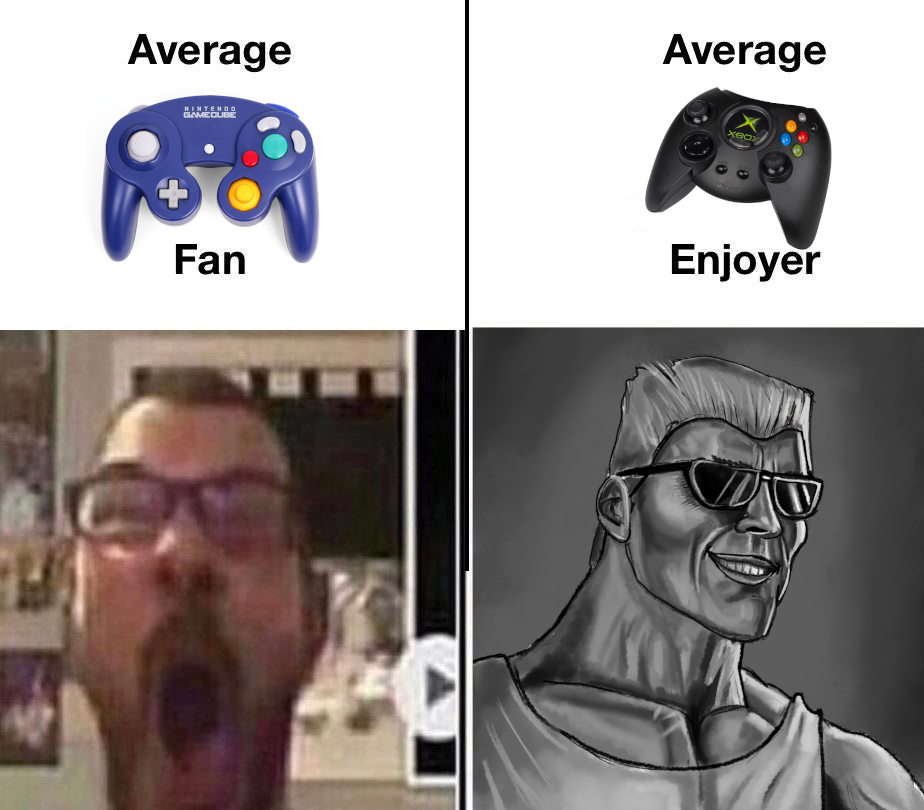
Not bad for a controller made for the sake of damage control.